

⚡ TLDR — Key Takeaways
- Connect OpenClaw with Binance—or any AI agent like Claude Code or OpenAI Codex—with one
npxcommand. - No API key needed for public data like prices and market movers.
- Always start with the Binance Testnet (demo) API before touching your live account.
- Use a Binance sub-account for your API key to protect your main balance.
- This guide covers everything: prerequisites, skill installation, API setup, and connecting live.
If you are looking to connect OpenClaw with Binance, you are at the right place. In this tutorial, I’m going to show you exactly how to connect your Binance account to OpenClaw—and what you can do once it’s all set up.
A few years back, when I used to talk about grid bot trading or other automated crypto trading strategies on CoinSutra, it would have been a dream to imagine a time like this—where a trade can happen automatically just because you told an AI to do it.
Vibe trading isn’t new anymore, but for many CoinSutra readers, this could still be uncharted territory. I hope to learn and share this knowledge with you as we go.
Even though I am doing this on OpenClaw in this tutorial, you can follow the same steps on any other AI agentic tool like Claude Code or OpenAI Codex. The process is nearly identical.


Before You Start: Prerequisites Checklist
Make sure you have the following in place before going through the steps below. This will save you a lot of back-and-forth later.
| Prerequisite | Details |
|---|---|
| OpenClaw installed and running | Set up on a VPS (Hostinger recommended) or local machine |
| Binance account active | Verified account with Spot/Futures trading enabled |
| Static IP address ready | Your VPS IP — not your home internet IP |
| Telegram bot configured | Connected to your OpenClaw agent for commands. I use Botfather for this |
| Binance sub-account created (recommended) | Limits risk to your main account balance |
💡 Note: You don’t need all of these on day one. If you are just testing with the Binance Testnet, you can skip the sub-account and live Binance setup for now.
My Setup (So You Know What You’re Working With)
Before we go further, here’s a quick look at how I have things configured. You don’t need to copy my exact setup, but having this context will make the steps ahead much clearer.


- OpenClaw on a Hostinger VPS — always-on, independent from my laptop.
- Telegram to chat with my OpenClaw AI agent.
- Multi-agent setup — a separate Telegram chat dedicated to finance and trading. In the future, I may spin off a dedicated trading chat, but for now this works well.
- LLM switching by task — free LLM like lLama or configure something via Openrouter.ai for simple things like checking a coin price; Claude Sonnet or Opus for complex reasoning and analysis.
💡 Tip: Start with a free LLM while you are testing and not yet making live trades. Save the paid models for when you are ready to go live.
🚀 Part 1: Installing Binance Skills on OpenClaw (or Any AI Agent)
This part is very simple regardless of which AI agent tool you are using. Just ask your agent to install the Binance Skills for you using this command:
Install Binance Skills for me. Please run the command:
npx skills add binance/binance-skills-hub
Or, if you are working directly in a terminal (very common for OpenClaw users), run:
npx skills add binance/binance-skills-hubAfter running this, you will see a list of available skills. Just ask the agent to install all of them.


Once complete, verify with:
What skills do I have?This shows everything installed and what your agent is now capable of.
What You Can Access Right Now (No API Key Needed)
At this point, you already have access to Binance’s public data with no API key required. That includes:
- Live coin prices
- Top movers of the day
- Smart money inflows
- All general market data available on Binance.com
I would also suggest installing the Minara.AI skill alongside this—more on that as we build this setup further.
Part 2: Binance Testnet vs. Mainnet — Which API Should You Use First?
But wait, let me tell you something.
Before you rush to connect your live Binance account, there is an important decision most people skip over. When creating a Binance API key for your AI agent, you have two options:
- Testnet API — A simulated environment. You are not trading with real money. Think of it as a sandbox to practice commands, test your setup, and get comfortable with how the agent behaves before any real funds are at stake.
- Mainnet API — This connects to your live Binance account with real funds.
My strong recommendation: start with the Testnet API. Once you have done the initial testing, gotten comfortable with the OpenClaw commands, and feel confident in your setup—then switch to Mainnet.
To access the Binance demo trading environment, head to demo.binance.com and create an API key for your demo account. You can also reference the official testnet documentation at testnet.binance.vision if you get stuck at any step.
🔒 Note: If you ever get stuck, share this article’s URL along with the testnet documentation link above with your AI agent—it will guide you through the troubleshooting.
Part 3: Creating Your Live Binance API for AI Trading


Here’s why this step matters more than most people realize:
The API key you create for your Openclaw AI agent needs the right permissions—no more, no less. Getting this wrong is one of the most common security mistakes in automated trading.
Step 1: Choose Where to Create Your API Key
If you are creating a Binance API key for your main account, head to the account management page. If you are using a sub-account (recommended), head to the sub-account management page.
Follow this video tutorial for the full walkthrough (the UI has minor updates but the process is the same in 2026): Watch the tutorial on YouTube.
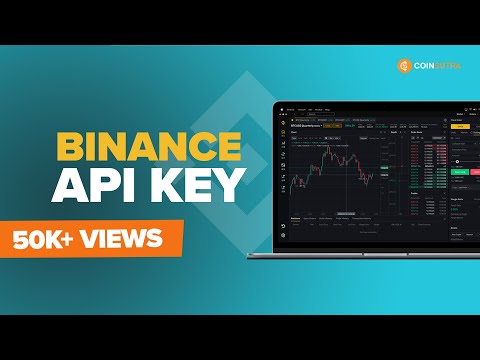
📌 Recommended: Use a Binance sub-account for your AI agent’s API key. I’ve already written a detailed guide on Binance sub-accounts on CoinSutra. Using a sub-account means that even if your AI agent makes unexpected trades, your main account balance stays safe.
Step 2: Set the Right API Permissions
- Enable spot and futures trading — so the agent can execute orders.
- Enable IP whitelisting with your static IP. If you are running OpenClaw on a VPS, use your VPS IP address—not your home computer’s IP. This is the most common mistake people make.
- Do NOT enable withdrawals. Your AI agent does not need this permission. Leaving it off is a critical security measure.
Connecting Your Binance Account to OpenClaw
📱 Now it’s time to show you what happened when I did this myself.
Once you have your API key and secret key ready, pass them to your OpenClaw chat:
Connect to my Binance account using Binance Skills.
API Key = xxxxxxxxxxxxxxxxxxxxxxxxxxxxxxxxxxxxxxxxxxxx
Secret Key = xxxxxxxxxxxxxxxxxxxxxxxxxxxxxxxxxxxxxxxxxxxx
The agent will handle the rest of the configuration automatically.
In my case, as soon as the connection was established, it pulled up my spot balance and futures account balance without me even asking. That’s when I knew everything was working.
From that point, you can start placing buy and sell orders directly through the chat interface in plain English.
Security Checklist Before You Go Live
Run through this table before switching from Testnet to your live Mainnet account. Every row here has either cost someone money or caused a lockout.
| Security Action | Status | Why It Matters |
|---|---|---|
| Use a Binance sub-account | ✅ Recommended | Isolates AI agent from your main funds |
| Enable IP whitelisting | ✅ Required | Use your VPS static IP only — never your home IP |
| Disable withdrawal permissions | ✅ Required | Your AI agent never needs this — leave it off |
| Enable only Spot + Futures trading | ✅ Required | No other permissions needed for trading |
| Start on Testnet first | ✅ Strongly recommended | Validate the full setup before going live |
| Rotate API keys regularly | ✅ Recommended | Especially after any VPS or agent changes |
| Never share your Secret Key publicly | ⚠️ Critical | Treat it like a password — never paste it anywhere else |
| Do not use main account for initial testing | ⚠️ Critical | Always test on sub-account or Testnet first |
Common Errors When Connecting OpenClaw with Binance
Most connection issues come down to the same handful of mistakes. If something is not working, check this table first before you do anything else.
| Error / Symptom | Likely Cause | Fix |
|---|---|---|
| Agent can’t connect to Binance API | IP address mismatch | You whitelisted your home IP instead of your VPS IP. Log into Binance, edit the API key, and replace the IP with your VPS static IP. |
| Connection works but trading commands fail | Trading permissions not enabled | When creating the API key, you didn’t enable Spot or Futures trading. Delete the key, create a new one, and check both trading permissions. |
| API key accepted but balance shows zero | Wrong account or sub-account selected | Make sure the API key belongs to the account that holds your funds. If using a sub-account, transfer a small balance to it first. |
| Agent says ‘invalid API key’ | Secret key entered incorrectly | Secret keys are shown only once on Binance. If you missed it, delete the key and regenerate a new one. Copy both keys carefully. |
| npx install command throws an error | Node.js not installed or outdated | Run ‘node -v’ to check your version. You need Node.js v16 or higher. Update via your VPS package manager or nodejs.org. |
| Testnet API doesn’t reflect real market prices | Expected behavior — not an error | Testnet uses simulated prices. This is normal. Switch to the Mainnet API only after you’ve confirmed the connection and commands work correctly. |
What’s Next
I am going to stop here for this tutorial. The goal was to connect OpenClaw with Binance and get live trading commands working—and you have done that.
I want to be honest with you though: this setup does require you to manage your own security—API permissions, IP whitelisting, and sub-account isolation. It is not something to take lightly.
But if you are a professional trader, or someone looking to get into quant or algorithmic trading, this setup is genuinely a game-changer. In future guides, we will go deeper into what you can actually do with OpenClaw once it is connected to Binance—automated strategies, on-chain analysis, and more.
I would love to hear from you. Are you using any agentic skills to trade on Binance or other crypto exchanges? What is working for you, and what is not? Drop your learnings in the comments below.
Frequently Asked Questions
Q1: Do I need an API key to connect OpenClaw with Binance?
Not for public data. You can check prices, market movements, and on-chain data without any API key. You only need one to access account-specific features and execute live trades.
Q2: Is it safe to give my Binance API key to an AI agent like OpenClaw?
It is as safe as you make it. Use a sub-account, enable IP whitelisting with your VPS static IP, disable withdrawal permissions, and rotate your API keys regularly. Never share your secret key anywhere other than the initial setup command.
Q3: Can I connect OpenClaw with Binance using Claude Code instead?
Yes. The Binance Skills installation command is identical regardless of which AI agent you use. Claude Code, OpenAI Codex, and OpenClaw all support the same npx command. The API connection process is also the same.
Q4: Can I use this setup for Binance Futures, or only Spot trading?
You can enable both when creating your API key—just select both permissions during setup. That said, always test with Spot on the Testnet first before touching Futures on a live account. Futures carry significantly higher risk.
Help us improve. Was this helpful
Thanks for your feedback!


About Harsh Agrawal :
An award-winning blogger with a track record of 15+ years. He has a background in both finance and technology and holds bachelors degree in Information technology and engineering.
An international speaker and author who believes in the future of blockchain and the applications of the crypto world.
Join us via email and social channels to get the latest updates straight to your inbox.
Expertise:
Harsh has 15+ years of experience in Fintech and 7+ years in Blockchain and Bitcoin. He has also moderated the panel of Blockchain experts and attended international blockchain events like BTCMiami, Mainnet Messari, and Token2049.