
Follow ZDNET: Add us as a preferred source on Google.
ZDNET's key takeaways
- If you need to clear space on your phone, Sponge has you covered.
- This app makes deleting old photos so fast and easy.
- The app is free, unless you need to delete videos and/or collections.
I don't know about you, but my phone — a Pixel 9 Pro — is chock-full of photos and videos I've taken over the years, and they take up a lot of space. Vast amounts of space. Star Trek Discovery-levels of space.
Every once in a while, I realize that it's time to clear out the cruft, which means going through the tedious task of deleting photos using the Google Photos app.
Aaack! (IYKYK.)
I've done this countless times, and it never fails to take much longer than I have any patience for.
Until now.
Also: 7 apps I use to lock down, encrypt, and store my private files – and most are free
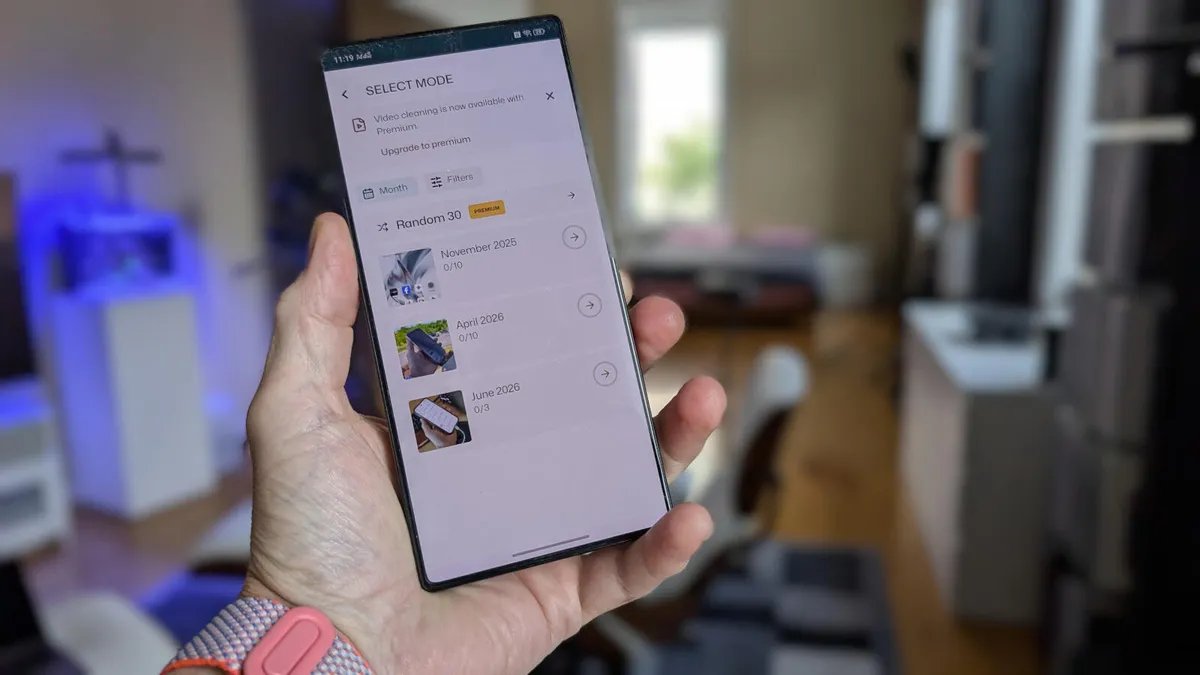
I recently discovered an app with one purpose: to make deleting photos and videos as efficient as possible. In fact, the Sponge app takes a rather Tinder-like approach to deleting photos: swipe left to delete, swipe right to keep.
But Sponge takes this one step further by letting you delete individual photos, photos by date, or photos by collection.
With a single swipe, you can clear away those photos and/or videos that you no longer want. It's so easy that the first time I used it, I couldn't help but laugh. I'd been so accustomed to the Google Photos way of removing pics that having something exponentially faster and easier was a breath of fresh air.
On top of that, you can configure Sponge to remind you to delete photos.
Sweet.
One thing to keep in mind is that Sponge only deletes photos from your local device, not those in your Google Cloud account. This is good because it means you'll always have a backup of the photos you delete.
Another caveat is that the free version can only delete photos, and only by the month. If you need to add video deletion (and photo deletion by collection), you have to pay for the Premium version, which is a one-time (in-app) payment of $3.49.
Also: Your Android phone is getting agentic powers with Gemini Intelligence – here's how and when
By using Sponge in conjunction with emptying your Android Recycle Bin, you can save some serious storage space on your device.
Getting Sponge
Sponge is found on the Google Play Store and is free to install. To install it, open the Play Store app, search for Sponge, tap the entry (its official title is Sponge – Gallery Cleaner), then tap Install. Sponge is installed in seconds and ready to go.
Are you ready to “Sponge” clean your phone of photos and videos you no longer need?
Let me show you how.
Using Sponge
Open the app, then tap “View all” near the middle. You'll see your photos listed by month, starting with the oldest. Start by tapping a month to reveal the photos contained within.
If you purchase the Premium version, you can also delete by collection.
Screenshot by Jack Wallen/ZDNET
For each photo, swipe left to delete it or right to save it. As you swipe, you'll be presented with the next photo. When you finish that month, you'll see a page asking whether you want to delete the photos permanently now or decide later. Tap “Delete forever,” and you'll be presented with a Mission Accomplished page, which shows you how many images you reviewed and how much space you saved.
Also: Google quietly confirms ChromeOS-Android merger – here's what it means for you
Huzzah! Photos deleted and space saved.
Screenshot by Jack Wallen/ZDNET
Move on to the next month and continue the process.
I deleted hundreds of photos in less than a minute, and it felt really good.
After using Sponge for just a couple of days, I decided it was a must-have app, as it made clearing space on my Android phone so much more efficient.
Monthly reminders
If you're one who tends to forget to do such tasks, you'll be glad to know that Sponge can remind you (via a pop-up in your Notification Shade) every month to purge photos.
Sponge won't let you forget to purge those old, unwanted photos.
Screenshot by Jack Wallen/ZDNET
Also: This free Android launcher made my phone and tablet look like Windows 11 – here's how
To enable this feature, tap the three-line menu button at the top left corner of the app, tap Settings, and then tap the On/Off slider for “Monthly reminder.”
You can also upgrade to the Premium version from here.
Screenshot by Jack Wallen/ZDNET
If you regularly need to delete old or unwanted photos on your Android phone, you will not find an easier way to do so than Sponge. Install this app, use it, and save yourself a lot of time and effort.